Skip to content
Hairdressers

Booking software for hairdressers, with online booking and reminders

Domovleno is Ukrainian booking software for hairdressers and small salons: a booking page behind your Instagram link, its own length of time for every hair length, automatic reminders, a client base with visit history, and online payment at booking for long colour jobs. Free forever plan, set up in an evening.

Booking confirmed · 14:30
Reminder sent
Paid online · ₴6500
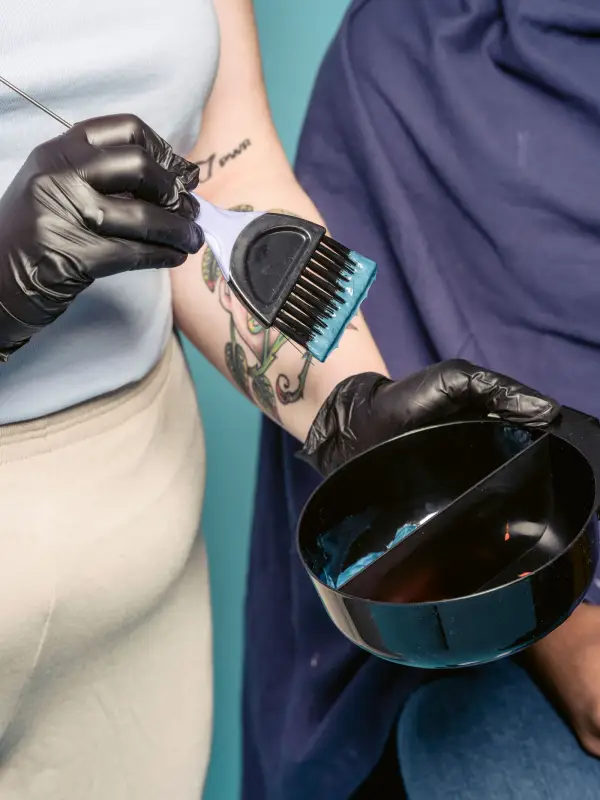
A hairdresser applying colour to a client's hair with a brush
$0/mothe Free plan — forever
24/7online booking works while you're colouring
24 h + 2 hreminders before each visit: email, plus SMS on Pro
1.5%a fee on online payments only
The product

Here's what it looks like for a hairdresser

The booking page is what a client opens from your bio: services with length and duration. Your calendar is where the booking lands on its own. Here are both sides of one booking.

The booking page — what your client sees
The calendar — what you see
In short

Is Domovleno right for a hairdresser?

Yes, if clients book a time with you — in your own room, at home or on a rented chair. The client picks a service with its length and duration, gets reminders and reschedules herself. The Free plan covers booking with no limit; Pro adds SMS, separate logins for colleagues and emails to clients who haven't been back.

A good fit if

  • You work on your own — in your own room or from home — and take bookings from Instagram and by phone.
  • You rent a chair: your own bookings and your own client base, separate from colleagues in the salon.
  • You're a colourist with long colour jobs, where one no-show means half a day lost.
  • A small salon with two or three chairs, where every hairdresser has their own schedule and services.

Worth knowing first

  • Price and colour time depend on length? Set up a separate service for each length — for example «Colour, short hair» and «Colour, long hair». The same goes for different prices for a stylist and a senior stylist: one service can't have different prices or durations for different specialists.
  • Before/after photos can't be added to a client card — keep them on your phone or in the cloud. Write the colour formula as text in the client's internal note.
  • A client picks one service per booking. Set up «colour + cut» as a combo with the total time, processing included: a specialist has one booking per time slot, so nobody else can book during the processing time.
  • There's no partial prepayment and no no-show fee: online you can only take the full price of the service. Turn on online payment for long colour jobs, and decide refunds for cancelled bookings yourself — money isn't returned automatically.
Sound familiar?

Three headaches every hairdresser knows

01
Answering DMs with colour on your hands
Clients message you exactly when you're holding a brush. You reply between applying and rinsing, ask about length and free times again — and some messages get lost until the evening.
02
A no-show on long colour is half an empty day
Colouring long hair takes three to four hours. If the client doesn't come, nobody can take a gap that size at the last minute — the day simply falls out.
03
Colour time guessed by eye
How long to book depends on length and technique. In a paper diary the time is a rough guess, and one underestimated appointment pushes the whole evening back — the next client sits and waits.
One day

A hairdresser's day with Domovleno

Not a feature list — what actually happens in a day while you're holding scissors and a brush.

9:00
The whole day at a glance
You open the calendar: a cut at 9:00, roots at 11:00, a long balayage after lunch. How long each service takes is already accounted for.
11:20
A new booking from Instagram, on its own
While you're rinsing colour, a client tapped the link in your bio and booked a free time. It's already in the calendar.
13:00
Reminders went out on their own
Tomorrow's clients got their reminders. The one who can't make it reschedules herself — you know today.
16:40
Long colour, paid in advance
The balayage client booked with online payment: if she doesn't come, you don't lose half a day for nothing.
19:30
Day closed — the numbers in front of you
Revenue, visits and no-shows for the day are in analytics. You can see which services people book most.
A sample day

A hairdresser's day: from a cut to balayage

This is a working day when every service's duration is set in advance — from a morning cut to long colour after lunch.

TimeServiceDurationTypical price
9:00Women's haircut60 min₴1500–2300
10:30Root colour120 min₴1800–2300
12:00Single-colour dye, short to medium hair120 min₴2400–2800
14:00Single-colour dye, long hair180 min₴3500–4000
15:30Balayage or ombré240 min₴6500–10200
17:00Blow-dry styling60 min₴550–950

Durations and prices are illustrative — typical for the niche, not a statistic or a price list. Your own menu will differ; the table only shows how a day lands in the schedule.

What Domovleno does

Booking software for hairdressers that does the timing for you

A reminder before every visit

A confirmation right after booking and reminders 24 and 2 hours before: email on any plan, SMS on Pro. Whoever can't make it reschedules from the link herself — and you find out before you've mixed the colour.

Online payment for long colour jobs

Turn on payment at booking just for balayage or long colour — the client pays the full price through Ukrainian payment services, straight to your account. Your acquirer (mono or LiqPay) can issue the fiscal receipt from your own PRRO if you turn fiscalisation on.

The payment goes straight to your account via Ukrainian payment providers — Domovleno never holds it. Your acquirer can issue the fiscal receipt once you turn fiscalization on.

Booking from Instagram, no back-and-forth

Put your booking page link in your bio or stories. The client picks a service and a free time herself, even at night — you don't have to answer between applying and rinsing.

Its own duration for every hair length

Set up «Colour, short hair» and «Colour, long hair» as separate services with their own time and price — the calendar blocks exactly the hours needed, and the client sees the real duration up front.

Client card and analytics

Visit history and an internal note with the colour formula in one card. Analytics shows utilisation, revenue and the no-show rate by day — on any plan.

Side by side

Paper diary, DMs or booking software: what to compare

Paper diary and DMs
Booking without messaging
No — you arrange it in DMs
Client reminders
Manual, when there's time
Online payment at booking
No
Client history
The colour formula lives in your head or on a scrap of paper
Schedule on your phone
The diary stayed at the salon
Price
₴50 for a notebook
Colour for different lengths
You guess the time and move the next bookings later
A no-show on long colour
You find out when the client has already not come
Booking from Instagram
You copy the arrangement from DMs into a notebook
What to check in any booking tool
Booking without messaging
Can a client book on her own, with no app or account?
Client reminders
Which channels are included, which cost extra?
Online payment at booking
Does it work with Ukrainian acquirers, and who issues the receipt?
Client history
Where do notes and visit history live?
Schedule on your phone
Is it easy to manage bookings from your phone between clients?
Price
Will you pay extra once a colleague takes the next chair?
Colour for different lengths
You ask about length and for a photo before naming a free time
A no-show on long colour
You remind her by hand the day before, if you have time
Booking from Instagram
Several messages back and forth to agree a time
Domovleno
Booking without messaging
Yes, 24/7 from the link in your bio
Client reminders
Automatic: email; SMS on Pro; Telegram and Viber when the client subscribes
Online payment at booking
Yes, via mono or LiqPay; PRRO receipt via the acquirer once set up
Client history
A card with visit history and an internal note
Schedule on your phone
From any device
Price
Free forever plan; Pro $19/mo billed yearly, no extra charge per specialist
Colour for different lengths
A separate service for each length with its own time and price — the client picks, the calendar blocks the right hours
A no-show on long colour
Automatic reminders 24 and 2 hours before; for long services you can turn on online payment at booking
Booking from Instagram
A booking page link in your bio — the client sees free times and books herself
From practice

Questions from hairdressers

I'm a colourist renting a chair and I take prepayment from new clients for colour bookings. If a client doesn't show up, can I keep the money?

Online payment at booking is always the full price of the service — there's no partial prepayment. If a client cancels a paid booking, the money isn't refunded automatically: you get a notification and decide yourself. There's no automatic no-show fee in the product. Write your cancellation rules in the service description — the client sees them on the booking page before paying.

How do you deal with no-shows?

Reminders 24 and 2 hours before go out automatically: email on any plan, SMS on Pro. Each one has a link the client uses to reschedule or cancel herself, so the slot frees up in advance. For long colour jobs you can turn on online payment at booking.

How much time should I book for colour, and how much extra for long thick hair?

Set up a separate service for each length — short, medium, long — with its own time in minutes. Each service can have a buffer before or after, so you have time to clean the station. The calendar only offers the client free times that fit the whole service.

How much time should I book for a cut with styling?

Set up a «Cut + styling» combo with the total time — online, a client picks one service at a time. If people often book the cut and the styling separately, keep those as separate services too: each has its own duration and price.

Paper diary or booking software — which is more reliable?

A paper diary works while you're at the salon and have time to reply. Software takes bookings 24/7, sends reminders on its own and keeps every client's history. Moving your base over is free: it reads a spreadsheet, CSV or Excel file directly, and a PDF or photos of notebook pages with AI; clients get no messages while it happens.

How do I message a client who didn't show up without offending her, and remind her of my cancellation rules?

Domovleno doesn't send an automatic message after a no-show — write to her yourself: her phone or email is on her card. To have fewer of these conversations, turn on reminders and online payment for long services, and put your cancellation rules in the service description.

Honestly about scope: what Domovleno doesn't do

Domovleno is booking, reminders, a client base, online payment and analytics. Before/after photos can't be added to a client card, there's no stock tracking for dyes and developers, and one service can't have different durations for different specialists — you set up separate services for that. If what you need is order in your bookings and fewer no-shows, it works today.

Pricing

Start free — forever

Free
$0
A booking page in your style, a website, calendar, client base and email confirmations — with no limit on bookings.
ProFree for 7 days after signup
$19/mo billed yearly
Or $25 month-to-month. SMS reminders, the AI assistant, win-back emails to clients who haven't been back, and separate logins for colleagues. Every new account gets Pro free for 7 days — no card needed.
Full plan comparison
Questions & answers

Common questions from hairdressers

Yes. The Free plan is enough: your own booking page, calendar, client base and confirmations — separate from the system of the salon where you rent your chair. The link in your bio takes bookings while you work.

Bring order to your hair bookings

Free forever plan. We migrate your base for free. Live in about an hour.