Skip to content
Domovleno
Nails

Booking software for nail technicians

Domovleno is Ukrainian software for nail technicians and nail studios: a booking page behind the link in your bio, automatic client reminders, a base with treatment history, online payment at booking and analytics. Free forever plan, live in about an hour.

A booking page for a nail artist — clients book themselves, no DMs.

No time to figure it out? We'll set up your booking page for you — free

Leave your name and a phone or Telegram — we'll reply within one business day, check your services and hours, and set the page up for you.

No mailing lists. Only our team sees your contact.

Booking confirmed · 14:30
Reminder sent
Paid online · ₴850
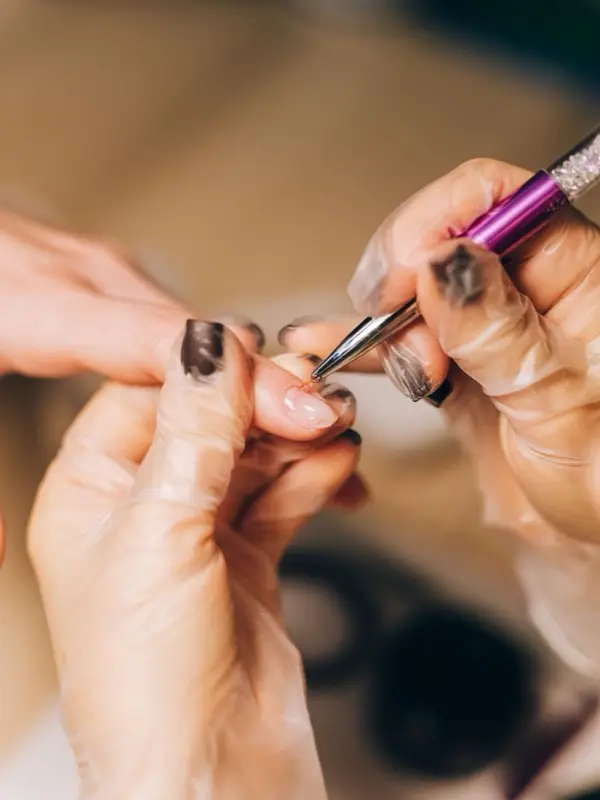
A nail technician applying gel polish for a client
$0/mothe Free plan — forever
24/7online booking works while you hold the brush
24 h + 2 hreminders before each visit: email, plus SMS on Pro
1.5%a fee on online payments only
The product

Here's how it looks for a nail tech

The booking page is what a client opens from the link in your bio. Your calendar is where the booking lands by itself. Both sides of one booking.

The booking page — what your client sees
The calendar — what you see
In short

Is Domovleno right for a nail technician?

Yes, if your clients book appointments — whether you work alone or in a studio with several technicians. Clients book themselves from the link in your Instagram bio, get reminders and can reschedule without messaging you. The Free plan covers booking with no limit on bookings; Pro adds SMS, separate logins for technicians and automatic emails to clients who haven't been back.

A good fit if

  • You work alone or in a studio and want bookings to move out of DMs onto a booking page.
  • Your services vary in length — from a 30-minute repair to a two-hour pedicure.
  • You want reminders, and online payment for new clients or your busiest hours.

Worth knowing first

  • Online, a client books one service at a time and no more than 31 days ahead; you add later bookings to the calendar yourself.
  • There's no supply tracking, no gift cards and no per-technician portfolio; the business website has a gallery of up to 12 photos.
  • You can't set a daily lunch break in the schedule: a per-service buffer keeps time between bookings, and you close specific hours with an exception.
Sound familiar?

Three pains of a nail tech

01
A month of bookings, held in your head
Regulars come every three or four weeks, and every one of those bookings lives in your memory or a notebook. One slip and two clients arrive for the same hour.
02
The DMs eat your evening
While you're doing a set, messages pile up. The evening becomes an hour of chats instead of rest — and someone still didn't get an answer in time and booked elsewhere.
03
A no-show is two empty hours
A soak-off, a fill and nail art together take half a day. If a client doesn't show and didn't warn you, that's not fifteen idle minutes — it's an evening with no income, and supplies already prepped.
One day

A nail tech's day with Domovleno

Not a feature list — what actually happens over a day while you never put the brush down.

9:00
The day's schedule, in your pocket
The whole day at a glance: who's booked, for what and when. No more “when am I booked?” DMs.
11:20
A new booking — by itself, from your bio
A client tapped the link in your bio, picked a service and a time — the booking is already in the calendar. You were mid-manicure.
13:00
Reminders went out on their own
Every client booked for tomorrow got a reminder. Whoever can't make it cancels in advance — and another client takes the two-hour window.
16:40
Reschedules without the back-and-forth
The client moved her booking to a free time via her own link. The calendar updated, the reminders rescheduled themselves.
19:30
Day closed — the numbers in front of you
Revenue, visits and no-shows for the day — in analytics. You can see which regulars haven't booked in a while.
A sample day

A nail tech's day: six bookings at one station

The table shows how six bookings of different length fit into one technician's day, including a quick repair and an add-on design.

TimeServiceDurationTypical price
9:00Nail repair30 min₴150–250
9:30Manicure with gel polish1 h 30 min₴550–750
11:15Soak-off + manicure + gel2 h₴750–950
13:30Men's manicure1 h₴350–450
14:45Machine pedicure with gel polish2 h₴900–1200
17:00Nail art (2 nails)20 min₴100–200

Durations and prices are illustrative — typical for the niche, not a statistic or a price list. Your own menu will differ; the table only shows how a day lands in the schedule.

What Domovleno does

Nail booking that works for you

Reminders people show up after

A confirmation right after booking, then reminders 24 hours and 2 hours before the visit: email on every plan, SMS on Pro, and Telegram or Viber for clients who subscribe to updates. Whoever can't make it cancels in advance, and another client takes the slot.

Online payment at booking

For new clients or your most wanted hours, enable payment at booking via Ukrainian payment providers: the payment goes straight to your account, and your acquirer (mono or LiqPay) can issue the fiscal receipt from your own PRRO once you turn fiscalization on.

The payment goes straight to your account via Ukrainian payment providers — Domovleno never holds it. Your acquirer can issue the fiscal receipt once you turn fiscalization on.

Round-the-clock booking from the link in your bio

Clients pick the service, technician and time on your booking page: in the evening, on a weekend, without a single DM. Every service has its own duration and price — manicure, soak-off with gel, nail art, repair.

Client cards: treatment history and notes

Contacts, every visit and notes — “square shape, base for thin nails, favourite shade” — in one card. You see your regulars, and you see who's been away too long.

Regulars and analytics

On Pro, Domovleno writes to clients who slipped out of their usual interval and shows who came back. Analytics shows occupancy, revenue and no-show share by day and service — on every plan.

Side by side

Notebook, any booking tool or Domovleno: what to compare

Notebook & DMs
Clients book themselves
No — chat only
Visit reminders
Manual, when there's time
Online payment at booking
No
Whose client is it
Yours, but only inside a chat
Getting started
Immediate
Price
₴50 for a notebook
Booking directly with a chosen technician
Only manually, agreed in chat
Reminders tied to a client's usual visit interval
No, you have to remember yourself
A separate login for each technician
No
What to check in any booking tool
Clients book themselves
Does the client need an app or an account?
Visit reminders
Which channels are included, which cost extra?
Online payment at booking
Does it work with Ukrainian acquirers, and who issues the receipt?
Whose client is it
Can you export your client base if you leave?
Getting started
How long is setup, and will they help you move?
Price
What does the whole team cost, not one seat?
Booking directly with a chosen technician
Can the client pick the technician herself?
Reminders tied to a client's usual visit interval
Does it remind clients who haven't been back?
A separate login for each technician
What does a separate login for each cost?
Domovleno
Clients book themselves
Yes, 24/7 from the link in your bio
Visit reminders
Automatic: email; SMS on Pro; Telegram and Viber when the client subscribes
Online payment at booking
Yes, via mono or LiqPay; PRRO receipt via the acquirer once set up
Whose client is it
Your base, with history and notes
Getting started
About an hour, nothing to install
Price
Free forever plan; Pro $19/mo billed yearly
Booking directly with a chosen technician
Yes, the client picks a technician or “first available”
Reminders tied to a client's usual visit interval
Yes, on Pro — automatic for clients who fall behind
A separate login for each technician
Yes, on Pro — her own login, owner controls visibility
From practice

Questions nail salon owners ask

My studio has several nail techs, each with their own schedule. How does that look in the calendar?

Each technician has her own schedule inside one shared calendar: working hours for each weekday, days off and time off are set separately, and Domovleno shows them side by side so you see the whole studio's load at a glance. On the booking page a client only ever sees genuinely free slots for that specific technician. You can move a booking between technicians or change the time by dragging it — the client is notified of the change automatically. The number of technicians doesn't affect the plan price.

A client wants to book with one specific technician, not “first available.” Is that possible?

Yes. On the booking page the client picks a service, then a specific technician or the “Any available” option if time matters more than the name. Choosing a technician doesn't complicate the booking — the client still sees only that person's genuinely free slots and gets the same reminders.

I take bookings both through the Instagram link and in person or by phone. Won't they clash?

No, they won't clash. A booking a client makes online and one you add manually after a call or an in-person arrangement land in the same calendar and occupy the same time. The online page immediately shows that slot as taken, so no other client can book it. The schedule treats an online booking and a manually added one exactly the same way.

Can I give every technician her own login so she only sees her own schedule?

Yes, on the Pro plan. Each technician gets her own login to the specialist app and sees her own bookings and the clients she has served. What the team can see — contacts, notes, prices, colleagues' busy times — the owner sets with one rule for everyone; technicians don't see the studio's revenue. This suits studios where technicians rent a chair or work on different terms. On Free the owner runs the calendar, with no separate logins for technicians.

A client hasn't come in for a few months. Will the system remind her, or do I have to do that by hand?

On Pro, the system does it: Domovleno tracks when a client falls out of her usual visit interval and automatically sends her a reminder to come back, with no action needed from the technician. On Free there's no such automation, but every client card always shows the date of the last visit, so building a list of who to message by hand is simple enough.

Honestly about scope: what Domovleno doesn't do

Domovleno is booking, reminders, the client base, online payment and analytics. There's no stock tracking for gels and supplies, no gift cards and no per-technician portfolio yet; the business website has a gallery of up to 12 photos. Gift cards and financial reports are on our public roadmap, with no dates promised. Instagram stays your storefront; Domovleno takes over the booking.

Pricing

Start free — forever

Free
$0
Online booking in your brand, a business website, calendar, client base and email confirmations — unlimited bookings.
ProFree for 7 days after signup
$19/mo billed yearly
Or $25 month-to-month. SMS reminders, AI assistant and client win-back. Every new account gets Pro free for 7 days — no card.
Full plan comparison
Questions & answers

Nail techs' frequent questions

Yes. The booking page, the business website, calendar, client base and email confirmations work with unlimited bookings. Pro is for when you want SMS reminders or automatic emails to clients who haven't been back.

Take your evenings back from the DMs

Free forever plan. We migrate your base for free. Live in about an hour.