Skip to content
Permanent makeup

Online booking software for permanent makeup artists

Domovleno is Ukrainian booking software for permanent makeup artists and small studios: a client picks brows, lips or lash line from your Instagram link, a two-hour procedure takes exactly its own time in the calendar, you set the touch-up on the day of the procedure, reminders go out automatically, and online payment can be switched on for chosen procedures. Free plan forever, set up in one evening.

Booking confirmed · 10:30
24-hour reminder sent
Paid online · ₴3500
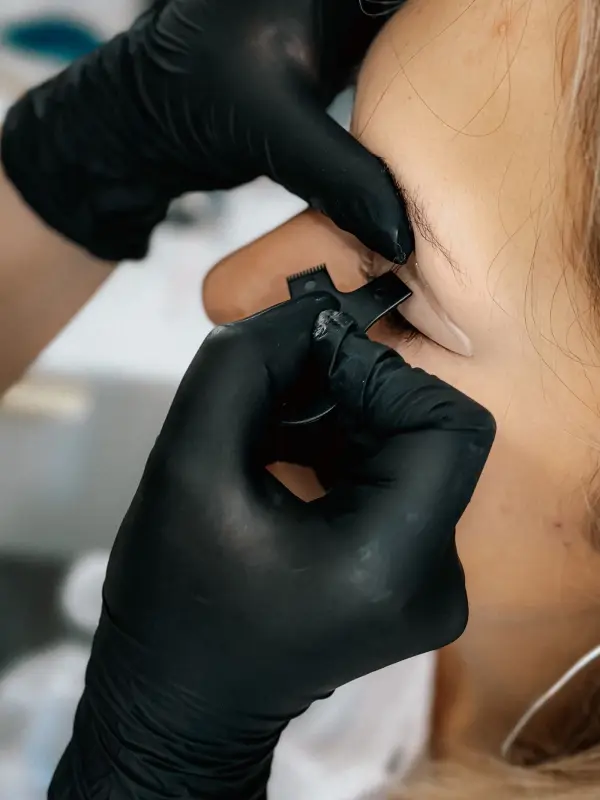
A specialist in black gloves works on a client’s brow, face mostly out of frame
$0/mothe Free plan — forever
120 mindurations set in minutes — plus a buffer for sterilising
24 h + 2 hreminders before the procedure and the touch-up: email, plus SMS on Pro
1.5%a fee on online payments only
The product

Booking a PMU procedure — from both sides

Your client opens the link in your bio and sees procedures with their duration and price; you see the same booking in your calendar the moment she taps Book. Both screens are below.

The booking page — what your client sees
The calendar — what you see
In short

Is Domovleno right for a PMU artist?

It fits when procedures are booked for a set hour — in a rented room, your own studio or a salon. Each procedure's duration, touch-ups in the calendar, reminders and online payment are all on the Free plan; Pro adds SMS reminders, own logins for the artists in your studio and emails to clients who haven't been back for a while.

A good fit if

  • You work on your own — in your own room or a rented one: brows, lips and lash line are set up as separate services with their own duration, and a buffer after each procedure leaves time to sterilise and set up.
  • Your studio has several artists: each has their own schedule and services, and the plan is priced for the whole business, not per artist. Different 'artist / senior artist' prices for the same procedure are set up as separate services.
  • Clients come from Instagram: the booking page link in your bio shows free slots instead of a chat about dates.

Worth knowing first

  • A client can't book a touch-up more than 31 days out online: online booking opens at most 31 days ahead. Put the touch-up in the calendar yourself on procedure day — the 24- and 2-hour reminders arrive just as for any booking.
  • There's no partial prepayment: online payment at booking is the full price of the service. Turn it on for the main procedure, or set up a separate 'slot hold' service with a lower price and the same duration, and the client pays the rest in person.
  • Prep rules can't go into the automatic reminders: their text is fixed. Put your prep notes in the service description — the client sees them while choosing the procedure — and send the details yourself.
  • The system doesn't store before/after photos, contraindication questionnaires or procedure consents — keep them on your phone, in cloud storage or in a separate form. Record the pigment, technique and touch-up date in the client's internal notes (up to 5,000 characters).
Sound familiar?

Three headaches of a permanent makeup artist

01
The touch-up remembered on day 59
A touch-up has its own window — day 28 to day 60 after the procedure; after that, price lists call it a refresh, at a higher price. The client leaves without a date, messages you when the window is almost shut — and the next few weeks are already full.
02
A contraindication that surfaces in the chair
Antibiotics, a fresh tan, a cold sore or alcohol the night before — she was meant to tell you in advance. If it comes up during the procedure, you reschedule, and the two-hour slot stays empty for the rest of the day.
03
Day-before confirmations, one client at a time
The day before, you message every client: the time, the address, the rule about being more than 15 minutes late and about no-shows. Whoever hasn't replied by evening gets a call — instead of you preparing tomorrow's pigments.
One day

A PMU artist's day with Domovleno

Not a feature list — an ordinary day: two long procedures, a touch-up and a consultation, while your hands are busy with the machine and pigments.

9:00
Morning: two procedures and a touch-up
You open the calendar: powder brows at 9:00, lips after lunch, a touch-up at the end of the day. Each procedure takes as long as you set, buffer for setup included.
11:20
The touch-up, booked before she leaves the chair
The brows are done. While the client is still with you, you set her touch-up for day 42 — it appears in the calendar at once, and the reminders arrive right before the touch-up itself.
13:00
Tomorrow's clients got their reminders
One of them moves her lips appointment to next week from the link in the reminder. The two-hour slot frees up today, and other clients see it on the booking page.
16:40
A touch-up with the note in front of you
The client card holds the note from the main procedure: pigment, technique, what to build up. Nothing to dig out of a month-old chat.
19:30
Evening: the day in numbers
Analytics shows revenue and utilisation for the day and the week, and how many slots are still free in the weeks ahead.
A sample day

A PMU studio day: brows, lips, touch-up

A studio with two artists: brows and lips run in parallel in the morning because each artist has their own calendar, and after lunch come a lash line, a touch-up inside its window and a short laser removal session.

TimeServiceDurationTypical price
9:00Powder brows120 min₴3000–4000
10:30Permanent lip colour120 min₴3000–4000
12:00Lash-line enhancement90 min₴2500–3000
14:00Touch-up (day 28–60)60 min₴1500–2000
15:30Laser removal of old permanent makeup (one area)30 min₴1200–1500

Durations and prices are illustrative — typical for the niche, not a statistic or a price list. Your own menu will differ; the table only shows how a day lands in the schedule.

What Domovleno does

Online booking where the touch-up doesn't get lost

Confirmations and reminders without your messaging

A confirmation right after booking and reminders 24 and 2 hours before go out on their own: email on any plan, SMS on Pro, Telegram or Viber once you've connected your bot and the client has subscribed. The reminder text is fixed, so keep your prep notes in the procedure's description — the client reads them before she books.

Online payment for two-hour procedures

Turn on payment at booking for powder brows or lips — the client pays the full procedure price via mono or LiqPay, straight to your account. Want a smaller amount upfront? Set up a separate 'slot hold' service. Your acquirer can issue the fiscal receipt from your own PRRO once you connect your PRRO and turn fiscalisation on.

The payment goes straight to your account with your acquirer — Domovleno never holds it. Your acquirer (mono or LiqPay) can issue the fiscal receipt from your own PRRO once you turn fiscalisation on.

Brows, lips, lash line — each with its own time

Powder brows take 120 minutes, lash line 90, a touch-up 60: you set the duration in minutes, and a buffer after the procedure leaves time to sterilise and set up. The calendar only offers a client slots the whole procedure fits into, and an artist can never have two bookings at the same time.

Client card: pigment, technique, touch-up date

Visit history shows when the main procedure was and when the touch-up was, and the internal note — up to 5,000 characters — holds the pigment, technique and anything from the consultation. You see the note; artists in your studio only if you switch that on.

Your season's bookings, in analytics

Analytics on any plan shows revenue, utilisation and the no-show rate by day and by procedure. You can see how the autumn and winter weeks are filling up and which procedures get booked most.

Side by side

Notebook and chats or booking software: how PMU bookings compare

Notebook and messengers
Self-booking by the client
No — you agree the date in chat
Reminders before the procedure
You message each client the day before
A two-hour procedure in the schedule
You count the time yourself; the buffer lives in your head
Client history
Pigment and technique sit in your phone's notes
Artist and senior artist
Two price lists in one notebook
Price
₴50 for a notebook
Touch-up on day 28–60
you write the date by hand and flip back through pages so you don't miss the window
Payment at booking
a transfer to your card and a mark in the notebook
Getting ready for the procedure
you read out the prep notes over the phone
What to check in any booking tool
Self-booking by the client
Can a client pick a procedure and a time with no app or sign-up?
Reminders before the procedure
Which reminder channels does the plan include?
A two-hour procedure in the schedule
Does a booking hold the full duration, prep time included?
Client history
Where do notes and procedure history live?
Artist and senior artist
Can the same procedure have different prices for different artists?
Price
Will you pay extra for every artist in the studio?
Touch-up on day 28–60
the arrangement gets lost among dozens of chats
Payment at booking
payment details in chat and a screenshot you have to check
Getting ready for the procedure
you copy the same prep notes to every client
Domovleno
Self-booking by the client
Yes, around the clock, from the link in your bio
Reminders before the procedure
Email on any plan; SMS on Pro; Telegram and Viber once the client subscribes
A two-hour procedure in the schedule
Yes: duration in minutes plus a buffer before and after
Client history
A card with visit history and an internal note of up to 5,000 characters
Artist and senior artist
Yes, as separate services — each artist has their own schedule
Price
Free forever; Pro is one hryvnia price for the whole studio
Touch-up on day 28–60
you put the touch-up in the calendar on procedure day; the client gets reminders 24 and 2 hours before
Payment at booking
online payment of the full service price at booking — straight to your account with your acquirer
Getting ready for the procedure
prep notes in the service description — the client sees them while choosing the procedure
From practice

Questions from PMU artists

Do I need a licence to provide permanent makeup and tattoo services under activity code (KVED) 96.09?

That's a question for a lawyer or an accountant, not for booking software: Domovleno doesn't check licences or activity codes and doesn't give legal advice. The list of activities that need a licence is set by Ukraine's law on licensing types of business activity — check against it. To take online payment at booking you need your own account with an acquirer — mono, LiqPay or Stripe: the payment goes straight there, and Domovleno never holds it.

Can a group 1 sole proprietor (FOP) do permanent makeup, and which activity code (KVED) should I choose?

The single-tax group and activity code are chosen under the Tax Code to fit your services and clients — work it out with an accountant; Domovleno doesn't give tax advice. Your FOP group doesn't change how booking works: the calendar, reminders and online payment behave the same. Domovleno's fee is 1.5% on online payments only; payment in person carries no fee.

Clients pay for permanent makeup only by bank transfer to my FOP account details — do I still need a PRRO?

As a general rule, a direct bank transfer to an FOP account by IBAN doesn't need a PRRO; whether card or cash payments need a receipt depends, among other things, on your tax group — check with your accountant. Online payment at booking in Domovleno is a card payment through your acquirer: mono or LiqPay can issue the receipt for it from your own PRRO once you've connected your PRRO in the acquirer's cabinet and turned fiscalisation on. Payments via Stripe don't get fiscal receipts, and responsibility for fiscalisation stays with the business.

I take 50% upfront from new clients to my card, and if a client doesn't show up, I keep the money. Is that OK?

Domovleno doesn't take half upfront: online payment at booking is always the full price of the procedure. If a client cancels a paid booking you get a notification, but neither a cancellation nor a no-show refunds the payment on its own — only you can refund it, with a button in the admin. Whether you can keep the payment depends on the terms the client agreed to beforehand: we don't give legal advice here, but it's worth writing those terms in the service description so she reads them before paying.

When can an artist refuse to correct or cover up another artist's permanent makeup?

It's the artist's call after an assessment, so correcting or covering someone else's work is best started with a consultation rather than straight away with a two-hour procedure. Set up a 'Consultation on existing PMU' as a separate short service and say in its description that any further work is only possible after an assessment. If you take the client on, you put the procedure or the laser removal sessions in the calendar yourself, and record the old pigment, the area and your decision in the internal note.

How much should I take upfront for permanent makeup, and when should I refund it?

How much is up to you, but online Domovleno only takes the full price of the service; a smaller amount upfront can go through a separate 'slot hold' service priced at that amount. There's no rule like 'cancel at least 48 hours ahead' in the product: when a client cancels a paid booking, you get a notification and decide yourself, and once the visit has started she can no longer cancel from the link. You refund with a button in the admin — the full amount or the remainder, not an arbitrary partial sum. Write your own refund terms in the service description.

Honestly about scope: what Domovleno doesn't do

Domovleno takes bookings, reminds your clients, keeps your client base, accepts online payment and counts your analytics. Before/after photos can't be added to a client card, there are no contraindication questionnaires or procedure consents, and no stock tracking for pigments and needles either. A client can't choose several procedures for one visit online, and there are no packages or booking series for a course of laser removal — each session is booked on its own. If what you need is order in your bookings and touch-ups, it works today.

Pricing

Start free — forever

Free
$0
A booking page in your style, a website, calendar, client base and email confirmations — with no limit on bookings.
ProFree for 7 days after signup
$19/mo billed yearly
Or $25 month to month. SMS reminders, the AI assistant, win-back emails to clients who haven't been back, and separate logins for colleagues. Every new account gets Pro free for 7 days — no card needed.
Full plan comparison
Questions & answers

Common questions from PMU artists

Yes. On Free you get your own booking page, calendar and client base, plus email confirmations and reminders — up to 200 emails a month, with no limit on bookings. SMS reminders and separate logins for colleagues come with Pro, when you need them.

Procedure, touch-up and reminders in one calendar

Free forever plan. We migrate your base for free. Live in about an hour.