Skip to content
Physiotherapy & rehab

Patient booking for physiotherapists

Domovleno is a Ukrainian online-booking and CRM system for physiotherapists, rehab specialists and therapeutic-massage practices: 24/7 session booking, automatic reminders, patient cards with session history, staff schedules, online payment and analytics. Free forever plan, live in about an hour.

Booking confirmed · 14:30
Reminder sent
Paid online · ₴900
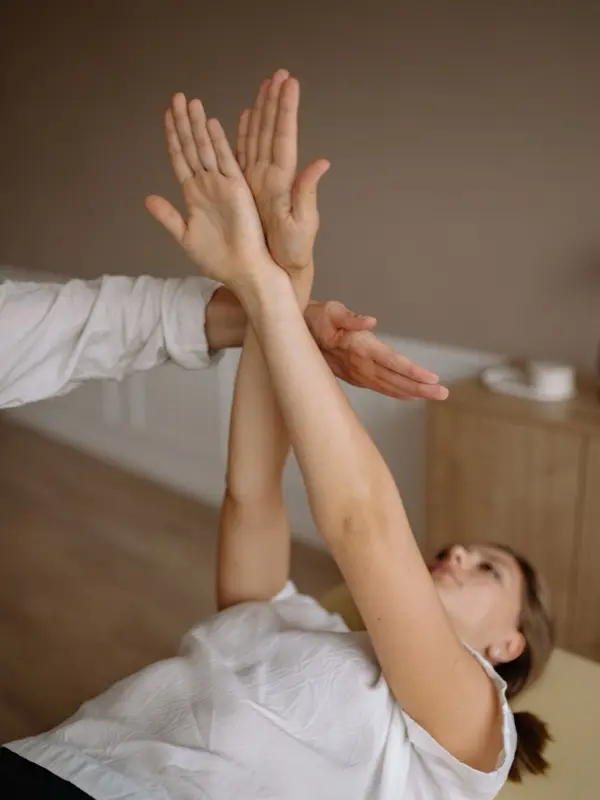
A physiotherapist working with a patient during a session
$0/mothe Free plan — forever
24/7online booking works while your hands are on a patient
3 channelsreminders: email, SMS and messengers
1.5%a fee on online payments only
The product

Here's how it looks for a rehab specialist

The booking page is what a patient opens from your site or socials. Your schedule is where the booking lands by itself. Both sides of one booking.

The booking page — what your patient sees
The schedule — what you see
Sound familiar?

Three pains of a rehab practice

01
The course breaks off midway
Ten sessions prescribed — the patient came to four and vanished. Without reminders the course falls apart, there's no result, and the patient tells people it “didn't help”.
02
A no-show breaks the whole day
A session is 45–60 minutes of one-on-one work. When the patient doesn't show, the window can't be filled: everyone else is booked weeks ahead.
03
Phone booking between sessions
Your hands are busy with a patient — the phone rings. Calling back at the break, keeping the schedule in a notebook, rescheduling in pencil — it all takes time you don't have.
One day

A physio's day with Domovleno

Not a feature list — what actually happens over a day while you work with patients, not the phone.

8:30
The day's schedule, in front of you
The day at a glance: initial assessments, course sessions, massage. The patient's session history sits right in their card.
10:20
A new booking — by itself, no phone call
A patient picked a session and a time on the booking page — it's already in the schedule. You were an hour deep into a session.
13:00
Reminders went out on their own
Tomorrow's patients got their reminders. Whoever can't make it cancels in advance — a course doesn't fall apart to a silent no-show.
16:40
Reschedules without the back-and-forth
The patient moved their session to a free time via their own link. The schedule updated, the reminders rescheduled themselves.
19:00
Day closed — the numbers in front of you
Revenue, sessions and no-shows for the day — in analytics. You can see who dropped off their course and who to win back.
A sample day

A physio's day example: five sessions, one room

This is how one specialist's day lays out: assessments, course sessions and a short procedure fit in without overlapping each other.

TimeServiceDurationTypical price
9:00Initial assessment45 min₴700–900
10:00Rehab session1 h₴700–1000
11:15Therapeutic massage45 min₴500–800
12:15Kinesio taping20 min₴250–400
13:00Rehab session1 h₴700–1000

Durations and prices are illustrative — typical for the niche, not a statistic or a price list. Your own menu will differ; the table only shows how a day lands in the schedule.

What Domovleno does

Session booking that keeps the course going

Reminders that hold the course together

A confirmation right after booking, then a 24-hour and a 2-hour reminder — email, SMS or messengers. A patient who can't make it reschedules in advance — and the course doesn't fall apart.

Online payment for the session

Enable payment at booking — the session is paid before the visit, which can help reduce no-shows. The money goes straight to your account via Ukrainian payment providers, and your acquirer (mono or LiqPay) can issue the fiscal receipt from your own PRRO once fiscalization is set up.

The money goes straight to your account via Ukrainian payment providers — Domovleno never holds it. Your acquirer (mono or LiqPay) can issue the fiscal receipt once fiscalization is set up.

Online session booking 24/7

The patient picks a specialist, session type and time — and books the next session right after the current one, from the link. Every service has its own length: assessment, session, massage.

Patient card and session history

Contacts, all completed and planned sessions, your notes (“knee, session 6 of 10”) — in one card. You see who dropped out of the course and who's worth bringing back.

Staff schedules and analytics

Several specialists and rooms — all schedules side by side in one calendar. Analytics shows load, revenue and no-show share by specialist and day — on every plan.

Side by side

A paper journal, any booking tool or Domovleno: what to compare

Paper journal
Patients book themselves
No — phone only
Patient reminders
Manual, when there's time
Online payment at booking
No
Bringing patients back into the course
Whenever you remember
Access from your phone
The journal is at the office
Setup and training
Immediate
Buffer between sessions
You keep track of it in your head
A reminder contact different from the patient
You note it separately in the journal
Patient reschedules a session without calling
No, phone only
What to check in any booking tool
Patients book themselves
Does the patient need an app or an account?
Patient reminders
Which channels are included, which cost extra?
Online payment at booking
Does it work with Ukrainian acquirers, and who issues the receipt?
Bringing patients back into the course
Does it remind patients who dropped out of the course?
Access from your phone
Does it work well on a phone?
Setup and training
Is there anything to install, and how long is training?
Buffer between sessions
Can you set a buffer per service?
A reminder contact different from the patient
Can a relative's contact be entered at booking?
Patient reschedules a session without calling
Can the patient reschedule without calling?
Domovleno
Patients book themselves
Yes, 24/7 from a link
Patient reminders
Automatic: email; SMS on Pro; Telegram and Viber when the client subscribes
Online payment at booking
Yes, Ukrainian providers + fiscal receipt via mono or LiqPay (setup required)
Bringing patients back into the course
Smart retention nudges by itself (Pro)
Access from your phone
Any device
Setup and training
About an hour, nothing to install
Buffer between sessions
Set per service; blocks the next slot
A reminder contact different from the patient
Reminders go to the contact entered at booking — a relative's phone works
Patient reschedules a session without calling
Yes, via the link in the reminder
From practice

Questions from rehab specialists

Can a patient book an entire course of sessions upfront, instead of one session at a time?

The patient books one session at a time, right after the current one, so the course moves forward naturally. If you need several dates placed in advance, say for the next two weeks, you do that manually in the calendar — each session still gets its own 24-hour and 2-hour reminders. There's no one-click booking of a whole course for the patient.

We don't have separate rooms, just several therapy tables and machines in one hall — can a booking be tied to specific equipment?

No, Domovleno has no separate booking for equipment or a table as a resource — the calendar is built around specialists' schedules, not machines or rooms. In practice, people work around this by listing a table or machine as a “specialist” in the schedule, so its availability shows up next to the people. For most rehab practices organized around patient-and-specialist, that's enough.

Can I set a buffer between sessions so patients aren't booked back to back?

Yes. Each service can have a buffer — a break before or after the session, in minutes — and the system simply won't offer the next slot until the buffer ends. This helps when a session regularly runs over its length, or you need a few minutes to write notes in the patient's card before the next visit.

Elderly patients are often booked by a relative — can a booking be made for someone else, or can I add a separate contact for reminders?

Yes. Whoever enters the contact makes the booking — so the 24-hour and 2-hour reminders go there, for example to the phone of a relative who handles the bookings. The patient's name, session history and your notes stay in the card. There's no separate “second contact for reminders” field — there's one contact, the one entered at booking.

Can I charge different prepayment for different session types — say, full price for the initial assessment and nothing for course sessions?

Partly, yes: online payment can be turned on or off per service, and each service has its own price, so you can require payment only for the initial assessment and leave course sessions without online payment. But the payment itself is always for the full service price — Domovleno doesn't calculate a partial prepayment or an arbitrary percentage.

Honestly about scope: Domovleno is not a medical information system

We do booking, reminders, the patient base, payments and analytics — and we do them well. Domovleno has no rehab protocols, medical records or registry integrations; you keep the recovery program in your own tools, and working notes in the patient's card. For a practice that needs full courses without drop-offs and fewer no-shows, that's usually enough.

Pricing

Start free — forever

Free
$0
Online booking in your brand, a business website, calendar, patient base and email confirmations — unlimited bookings.
ProFree for 7 days after signup
$19/mo billed yearly
Or $25 month-to-month. SMS reminders, AI assistant and patient win-back. Every new account gets Pro free for 7 days — no card.
Full plan comparison
Questions & answers

Rehab specialists' frequent questions

Yes — that's the most typical setup. The free plan is enough: a booking page, calendar, patient cards and confirmations, with nothing to pay. The link takes bookings while you work with a patient.

Carry courses through to the result

Free forever plan. We migrate your base for free. Live in about an hour.